
Native bulk image workflow for Shopify, Wix, WooCommerce & Shopware
BL Bulk Product Image Uploader for Shopify, Wix, WooCommerce & Shopware
Match and upload large batches of product images by SKU, ID, or handle - without manual one-by-one assignment.
BL Bulk Product Image Uploader helps ecommerce teams move product media faster by matching local image files to the right catalog records in one streamlined workflow.
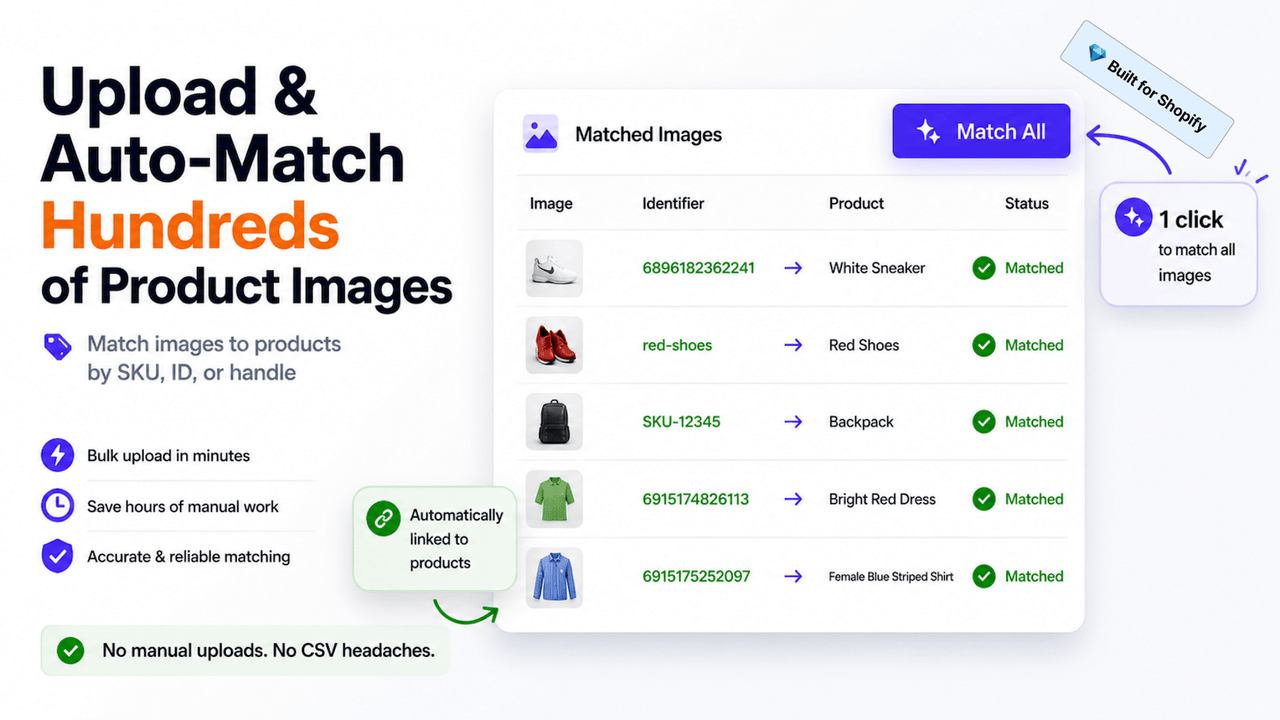
What BL Bulk Product Image Uploader is built to do
Replace repetitive product-media work with a faster matching workflow. BL Bulk Product Image Uploader helps you upload and associate large groups of product images using familiar identifiers such as SKU, product ID, or handle.
It is designed for stores with regular catalog updates, supplier media drops, new collections, migrations, or any workload where manual image assignment creates delays and errors.
Bulk image upload FAQs
Start with the shared workflow below, then use the platform-specific guidance for the version installed on your store.
Shared workflow and troubleshooting
How does the app match images to products?
Use a clear, stable product identifier in your image filenames and catalog data. Depending on the installed version, matching can use an SKU, product ID, or handle. Consistent naming is the best way to make a large upload predictable.
Why did an image attach to the wrong product?
First check the identifier used for matching, duplicate values, the filename structure, and the selected product data. Test a small sample before running a larger batch; that makes it easier to identify and correct a mismatch early.
What should I check if images do not upload?
Confirm the image format, file size, filename, and any error shown by the platform. If your workflow uses image URLs, make sure the URLs are public and load directly. A small test batch is the fastest way to separate a file issue from a broader configuration issue.
Can I use the app for a large catalog or migration?
Yes. The app is designed to reduce repeated product-by-product media work. For a large catalog, prepare identifiers and filenames first, validate a small representative batch, then process the remaining images in manageable groups.
Platform-specific guidance
Shopify: what is the standard workflow?
The Shopify version supports drag-and-drop selection, one-click bulk upload, and automatic matching by SKU, ID, or handle. Its current listing also documents common image formats such as JPEG, PNG, GIF, and WebP. Review the Shopify app settings before a large upload, especially if products or variants use different identifiers.
Wix: what should I prepare?
The Wix version also supports bulk selection and automatic matching by SKU, ID, or handle. Prepare consistent filenames and run a small test before processing a full folder. Use the Wix app’s current configuration as the source of truth for your store’s available controls.
WooCommerce: does it work exactly like Shopify?
No platform version should be assumed to have the identical interface or import behavior. Install the native WooCommerce extension, check its current identifier and image requirements, and test a small batch first. If you need help, send support the product identifier format, sample filenames, and the exact result you are seeing.
Shopware: what is different?
The Shopware version is installed through its native marketplace channel and can have platform-specific controls or requirements. Keep product identifiers and filenames consistent, validate a small batch, and use the installed version’s current settings as the guide before a wider upload.
What information helps support resolve a bulk-upload issue?
Please include your ecommerce platform, the upload method, one or two sample filenames, the identifier you expect to match, the affected product URL or ID, a screenshot of the error, and whether the issue appears in a small test batch. Do not send customer data unless it is necessary to diagnose the issue.
Bulk product-image uploads for Shopify, Wix, WooCommerce & Shopware
BL Bulk Product Image Uploader is available through the native marketplace or extension channels for Shopify, Wix, WooCommerce, and Shopware. Install the version that matches your ecommerce stack, then use the app to organize and apply product imagery in a more controlled bulk workflow.
Common use cases
- Upload product photos for a new collection, seasonal range, or supplier feed.
- Match image filenames to existing product SKUs, IDs, or handles.
- Replace outdated catalog media without opening individual product records one by one.
- Speed up storefront launches, migrations, and recurring merchandising updates.
Key considerations
Use consistent image filenames and confirm your product identifiers before processing a large batch. A clean naming convention makes matching more predictable and helps teams review results with confidence.
Relevant product-search topics: bulk product image upload, Shopify image uploader, Wix bulk product images, WooCommerce bulk image uploader, Shopware product image upload, and SKU image matching.
Key capabilities
- Upload many product images in one workflow instead of assigning them one by one.
- Match media to catalog items by SKU, product ID, or handle.
- Support structured catalog launches, image refreshes, and supplier media updates.
- Install natively on Shopify, Wix, WooCommerce, or Shopware.
Install on your platform
Choose your ecommerce platform above to open the official listing, review current installation details, and add the native bulk image workflow to your store.
Simple installation for supported stores
Choose your ecommerce platform above to install the app from its official marketplace. After installation, configure the available settings to match your store’s design, product data, and workflow. This page is designed to help you understand the product before you begin, while the marketplace listing provides the live installation path.
Platform-specific guide
Need a practical workflow before installing? WooCommerce bulk product image uploads by SKU, ID or slug
Core workflow guide
Choose the right process for your platform: Bulk Product Image Uploader for Shopify, Wix, WooCommerce & Shopware.