Backlip app for Wix
BL Free Shipping Bar for Wix
Show shoppers how close they are to reaching free shipping.
BL Free Shipping Bar adds a dynamic Wix progress bar that communicates the remaining amount needed to qualify for a free-shipping offer.
What this app is built to do
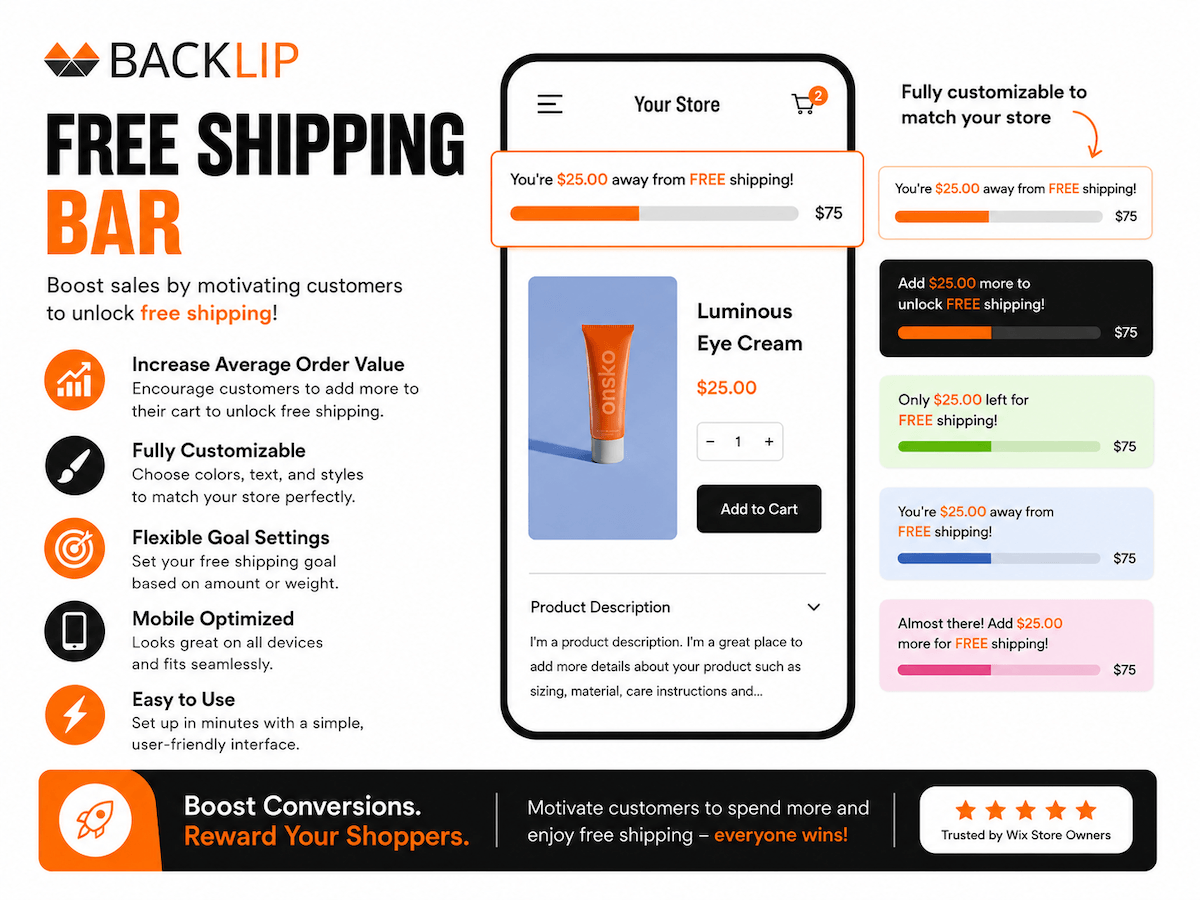
Show shoppers how close they are to reaching a free-shipping offer with a live product-page progress bar. The bar updates as the cart changes and can be tailored with promotional messaging, colors, text, and styling that align with the store design.
Use BL Free Shipping Bar for Wix when you need a focused way to improve this part of your storefront or operational workflow without rebuilding your site. The marketplace buttons above take you directly to the supported platform listing, where you can review current setup and plan details.
Free shipping progress bar for Wix shopping experiences
A free shipping progress bar tells shoppers how close they are to qualifying for an offer as the cart changes. BL Free Shipping Bar provides a dynamic Wix message bar that can show the remaining amount and reinforce the value of adding another item to the order.
It is suited to Wix stores using a free-shipping threshold, promotional shipping message, or cart goal where a clear progress indicator can help customers understand the offer.
Common use cases
- Show the remaining cart amount needed to qualify for free shipping.
- Update the shipping-progress message as the customer adds products.
- Style a promotional bar to match store colors, message tone, and campaign timing.
Key considerations
Use the actual shipping threshold and confirm currency, cart rules, exclusions, and regional conditions before publishing the message. Make the copy concise so it remains clear on smaller screens.
Relevant product-search topics: Wix free shipping bar, free shipping progress bar, cart goal message, shipping threshold app.
Key capabilities
- Show progress toward a free-shipping threshold.
- Update the displayed progress as the cart changes.
- Customize messages and styling for the storefront.
Simple installation for supported stores
Choose your ecommerce platform above to install the app from its official marketplace. After installation, configure the available settings to match your store’s design, product data, and workflow. This page is designed to help you understand the product before you begin, while the marketplace listing provides the live installation path.