
Native country-access app for Shopify, Wix, Ecwid & Shoper
BL Country Blocker for Shopify, Wix, Ecwid & Shoper
Control country-based access and direct visitors to the right storefront.
BL Country Blocker helps merchants manage which countries can access a store and redirect visitors to relevant regional or language-specific destinations.
What this app is built to do
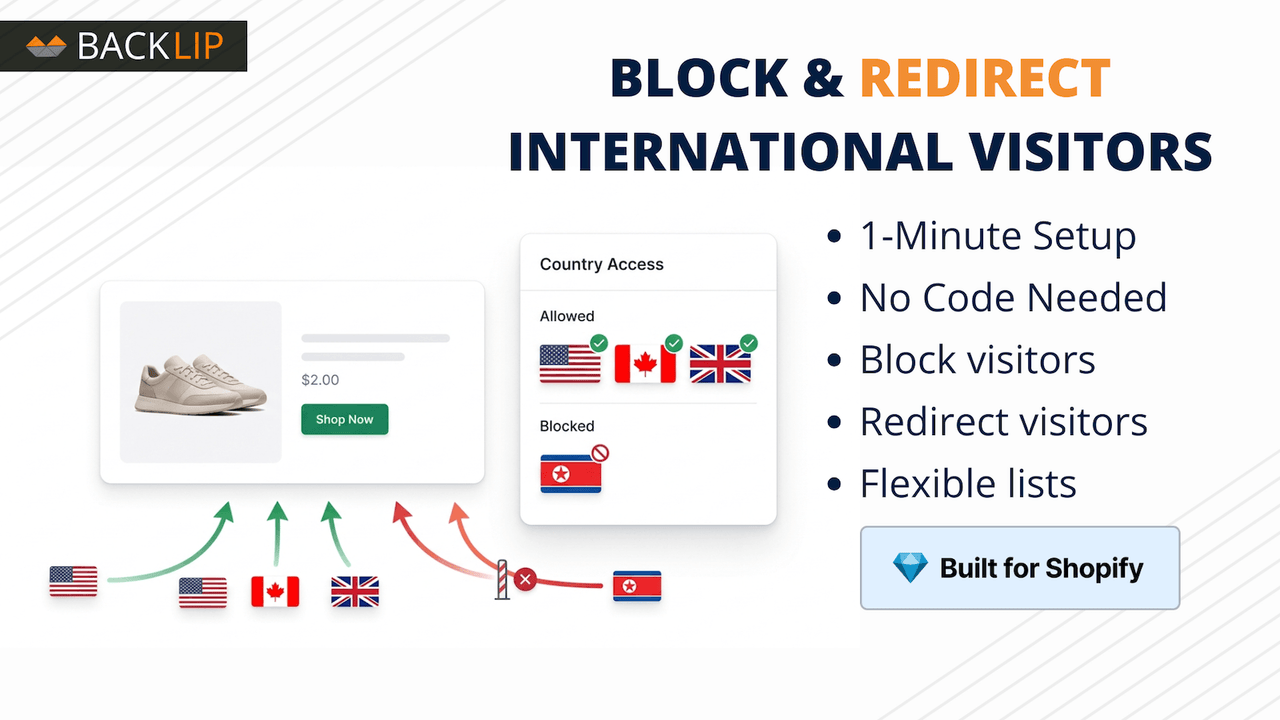
Control access and personalize visitor experiences by blocking or redirecting people according to country. Use flexible rules and real-time updates to support regional storefront access, local destinations, and global-store management workflows.
Use BL Country Blocker for Shopify, Wix & Ecwid when you need a focused way to improve this part of your storefront or operational workflow without rebuilding your site. The marketplace buttons above take you directly to the supported platform listing, where you can review current setup and plan details.
Country blocker and location redirect for Shopify, Wix, Ecwid, and Shoper stores
Country blocking and location-based redirects help merchants manage regional storefront access with more control. BL Country Blocker can be used to block selected locations or direct visitors to a relevant regional, language-specific, or alternative destination according to location.
It fits international merchants, brands with regional availability restrictions, agencies configuring multi-market experiences, and stores that need a clear response for visitors outside a supported territory.
Common use cases
- Block visitors from countries where a store does not serve customers.
- Redirect international visitors to a regional site or language-specific destination.
- Create a simple location-based access rule without custom geolocation code.
Key considerations
Make redirect and blocking policies consistent with the actual market, shipping, and legal requirements of the business. Test the rule across intended locations and provide a helpful explanation or destination where appropriate. The visitor’s country is resolved from an IP address, so VPNs, proxies, and ISP routing can make the signal inaccurate; this is a storefront rule, not a network firewall.
Relevant product-search topics: Shopify country blocker, Wix country redirect, Ecwid country blocker, Shoper country blocker (blokada krajów), geolocation redirect app, block visitors by country.
Key capabilities
- Block visitors from selected countries.
- Redirect visitors to a chosen URL by location.
- Manage regional access from a simple dashboard.
- Install natively on Shopify, Wix, Ecwid, or Shoper.
Country blocking and redirects on Shoper (Blokada Krajów – Geolokalizacja)
On Shoper, BL Country Blocker is published in the Shoper Appstore as Blokada Krajów – Geolokalizacja. The listing documents two ways to manage access: an allowlist that keeps the store available only to visitors from selected countries, or a blacklist that blocks visitors from selected countries. Instead of blocking, you can redirect visitors from selected countries to a custom address, such as another page, store, or regional version of the site.
- Choose allowlist or blacklist mode, and add or remove countries without changing other store settings.
- Block access for visitors from selected countries.
- Redirect visitors from selected countries to an address you choose.
- Manage the rule in the Shoper store panel; the listing says no code has to be added to the store.
Check before you rely on it: the visitor’s country is resolved from IP-based geolocation. The Shoper listing notes that IP geolocation is not always fully accurate and can vary by ISP, VPN, proxy, or other factors, and that the app does not guarantee that all traffic from a region is blocked. Treat it as a storefront access rule, not a firewall or a compliance guarantee. Confirm the options in your installed version, and test the block and redirect on desktop and mobile.
Simple installation for supported stores
Choose your ecommerce platform above to install the app from its official marketplace. After installation, configure the available settings to match your store’s design, product data, and workflow. This page is designed to help you understand the product before you begin, while the marketplace listing provides the live installation path.
Platform-specific guide
Need a practical workflow before installing? Shopify country-blocker guide for storefront access control
Core workflow guide
Understand the workflow before installing: Country Blocker for Shopify, Wix & Ecwid.
Works with these Backlip tools
This app covers one job. These are the related Backlip tools a merchant usually needs next, and each is a separate install with its own marketplace listing.
- BL Age Verification Popup for when the restriction is age-based rather than country-based.
- BL Content Protection for for the storefront content a blocked visitor should not reach.
- BL Payment Icons Trust Badges for for the payment signals shown to allowed visitors.
Check the listing before you install
This page describes the product. The marketplace listing is the install and billing destination, and its current rating, price, plan and option set are the ones that count: Shopify listing · Wix listing · Ecwid listing · Shoper listing.
Platform versions are separate builds. Confirm the options in the version installed on your store, and test the result on desktop and mobile before you rely on it.